Dark Mode UI

Tenoxo

Skeletron
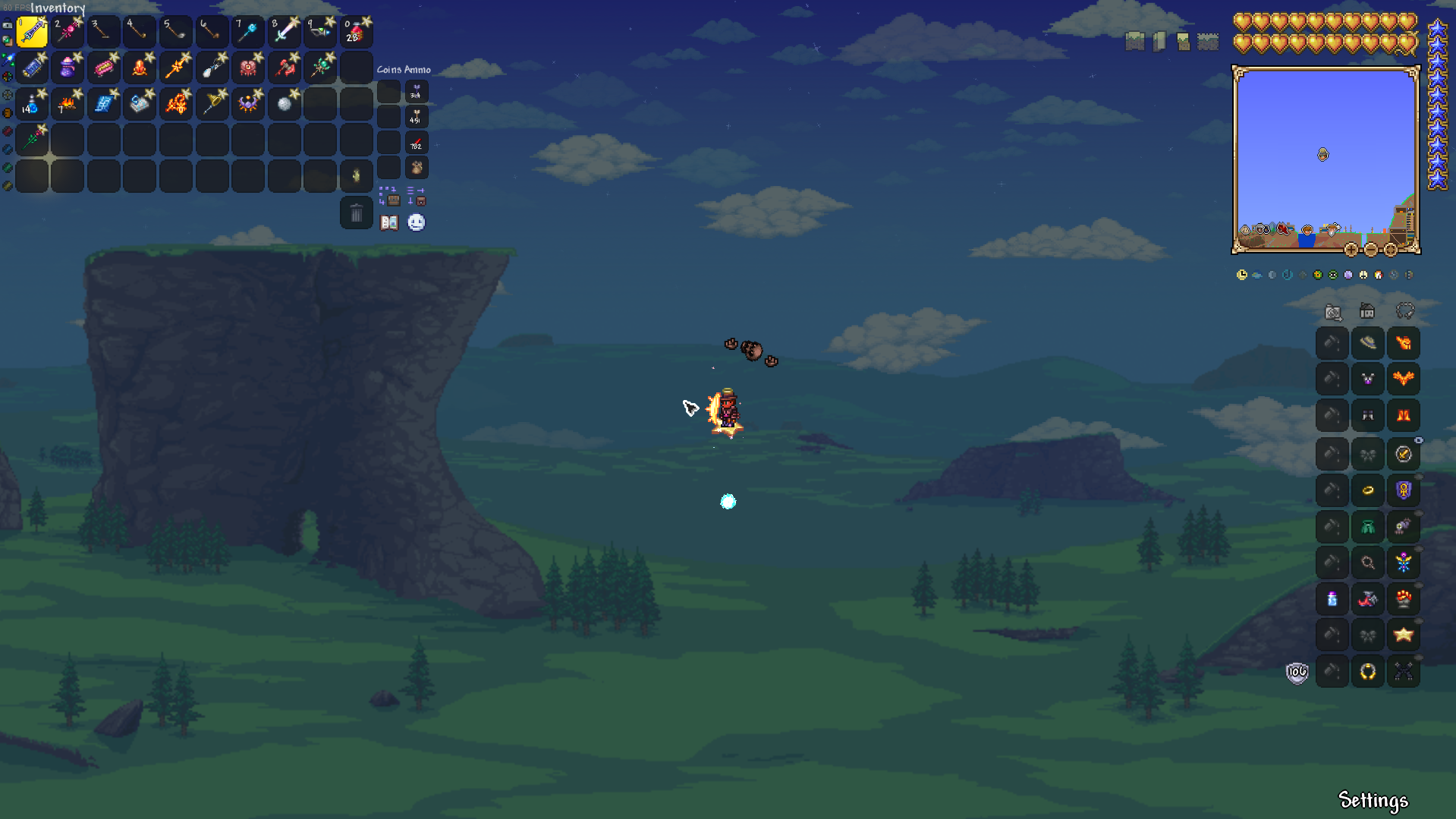
This Texturepack is very simple.
Your Inventory is now darker and most other slots (Inventoryslots, Chestslots etc.)
It also simplifies the UI a little, by adding only a little yellow star on the upper-right if an Item is favouritized. (If you don't like that read the "READ ME" inside the "Dark Mode UI" "Images" folder)

If you have any suggestions on how to improve this texturepack be sure to comment.

If you like the favouritize Icon but don't like the Dark Mode be sure to check out my other Texturepack with only the stars.
DarkModeUI.png
 

Attachments

Last edited:
can you add some screenshots of it so i can see it?
 
I really loved this texture pack, as simple as darkening the menus a bit is an excellent addition. Leaves me a little unhappy are the favorite boxes, I would prefer the vanilla version.
Hearts, stars, and map of another color are another texture pack.

Screenshot:
Terraria_ Mucho cavar, pero poco rédito 12_07_2020 06_47_38 a. m..png
 
Does it work with calamity texture pack?
 
@Tenoxo
may i use your dark mode texture pack in a collection im making? ^^
 
@Tenoxo
may i use your dark mode texture pack in a collection im making? ^^
Sure, just mention the darkmode is by TenoxoAusDerBoxo or something along the lines of that

Does it work with calamity texture pack?
I don't know why it shouldn't

I really loved this texture pack, as simple as darkening the menus a bit is an excellent addition. Leaves me a little unhappy are the favorite boxes, I would prefer the vanilla version.
Hearts, stars, and map of another color are another texture pack.

Screenshot:
View attachment 282874
I added an option(In the 1.0.1 Version) to make the favourite boxes look more like the Terraria ones, just read the "READ ME" in the "Dark Mode UI" "Images" folder.

can you add some screenshots of it so i can see it?
Added them now
 
Last edited:
Love this UI change, it really helps my eyes!
 
I added an option(In the 1.0.1 Version) to make the favourite boxes look more like the Terraria ones, just read the "READ ME" in the "Dark Mode UI" "Images" folder.
I can't ask for more, your texture pack is instantly one of my favorites, your work is excellent; being able to switch between designs gives it a lot of value.
 
Hey I would just like to say I really like the ability to add the "star" to favorite items. I used your mod and deleted all the images but the stars, then changed the color of the background to match the in-game color of the inventory. The result has been really nice and I'm very happy with it! Thanks for your work!

If you ever feel up to it, it could be cool to release a version with JUST the stars for other folks.
 
Hey I would just like to say I really like the ability to add the "star" to favorite items. I used your mod and deleted all the images but the stars, then changed the color of the background to match the in-game color of the inventory. The result has been really nice and I'm very happy with it! Thanks for your work!

If you ever feel up to it, it could be cool to release a version with JUST the stars for other folks.
Thanks for the Idea, I did just that :)
 
Question: When I dragged the file into my resource packs, it doesn't exist.
 
Question: When I dragged the file into my resource packs, it doesn't exist.
You have to unpack the Zip file so that an Folder is there.
 
I unzipped them to my resource packs, but it still doesn't show up. It does show up as a folder however.
 
absolutely bodacious
 
I unzipped them to my resource packs, but it still doesn't show up. It does show up as a folder however.
you have to take the folder thats inside the folder that is called "dark mode UI 1.0.1" and put that in the resourcepack folder.
 
i love the pack, but could you please also make the npc dialogue and journey mode ui dark? it would be really great if you did
 
This seems like a cool texture pack! I think adding a Dark Mode Texture Pack is something cool!
 
I really loved this texture pack, as simple as darkening the menus a bit is an excellent addition. Leaves me a little unhappy are the favorite boxes, I would prefer the vanilla version.
Hearts, stars, and map of another color are another texture pack.

Screenshot:
View attachment 282874
the hearts,stars and map thingy what texture pack is that?
 
the hearts,stars and map thingy what texture pack is that?
The hearts and the mana stars it comes from this texture pack: Gold Recolors
Map border: Remix (in-game)
What the texture pack does is that it changes all the gold colors to the color you choose.
 
Back
Top Bottom