How to get started on your texture pack

Did you find this helpful?

  • This was awful! This won't help anyone! You shouldn't have wasted you time.

    Votes: 0 0.0%

  • Total voters
    56
Such a thing is actually illegal to distribute. Converting .xnb to .png files to a process you will probably have to do yourself. Techdude posted a conversion tool earlier in this thread.
Oh my bad.
 
Is it it possible to change the textures for Moon Lord's arms and upper body, I can't find image files to change those...
 
It’s in extras I think for the moon lord
 
I hadn't noticed, thanks. The image folder is indeed quite a mess
 
Hey, I very much admire your work. You are a very talented pixel artist. Great work!

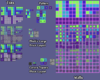
I was wondering if you use a template when creating these texture packs? I am working on a game setup similar to this and I am trying to break down how the tilesets are created. I have come across Phleb's Brick Layout template, but that thing is mighty confusing to figure out what exactly is going on in the image. And if this is applied to every texture.
 

Attachments

  • Template - Big Tiles.png
    Template - Big Tiles.png
    38.9 KB · Views: 462
Hey, I very much admire your work. You are a very talented pixel artist. Great work!

I was wondering if you use a template when creating these texture packs? I am working on a game setup similar to this and I am trying to break down how the tilesets are created. I have come across Phleb's Brick Layout template, but that thing is mighty confusing to figure out what exactly is going on in the image. And if this is applied to every texture.

There’s no good way on describing in words what’s going on in that image. Most tiles actually do not use that tile set. That set is for complex designs with predetermined arrangements for its “variants” Only some tiles like tin and copper plating, stone slab, and smooth marble use it. Most use the traditional sheet with three random variants and dirt merge. If you are trying to make something for a game, I’d look at one of these traditional sheets (take stone for instance).
 
Is there a way to have custom resolutions for textures, or will they have to be the same as the base item?
Edit: Like right now I have a texture for the Lunar Flare that is 32x28 but the default texture is 28x30 and the new texture doesn't show up in game.
 
Is there a way to have custom resolutions for textures, or will they have to be the same as the base item?
Edit: Like right now I have a texture for the Lunar Flare that is 32x28 but the default texture is 28x30 and the new texture doesn't show up in game.
All texture must be the same resolution as the default. It sucks, I know, but that’s just how it is.
 
All texture must be the same resolution as the default. It sucks, I know, but that’s just how it is.
Yea that's what I thought since the textures didn't show up
 
Does the ninja inside of King Slime have it's own png somewhere or does it use preexisting ones like the ninja armor?
 
Nevermind, theres a png literally named "ninja", pretty sure its the one I was looking for.
 
is there anyway to make sounds or music to the resource (aka texture) pack?
 
Sorry but i didnt get the part where you said mounts are done buy name becuase i did do that and it still doesnt work?
 
Does anyone know where the emotes used by the NPCs are?
 
Does anyone know where in the files I can find the corrupt, crimson, and hallowed desert backrounds?
 
Does anyone know where in the files I can find the corrupt, crimson, and hallowed desert backrounds?
There are many of them, look at those "Background_"
 
Im out here throwing another question to the pile, is there a way to change the title?
 
Im out here throwing another question to the pile, is there a way to change the title?
No,...
Well if you think of menu logo, then you can change it.
 
Back
Top Bottom